
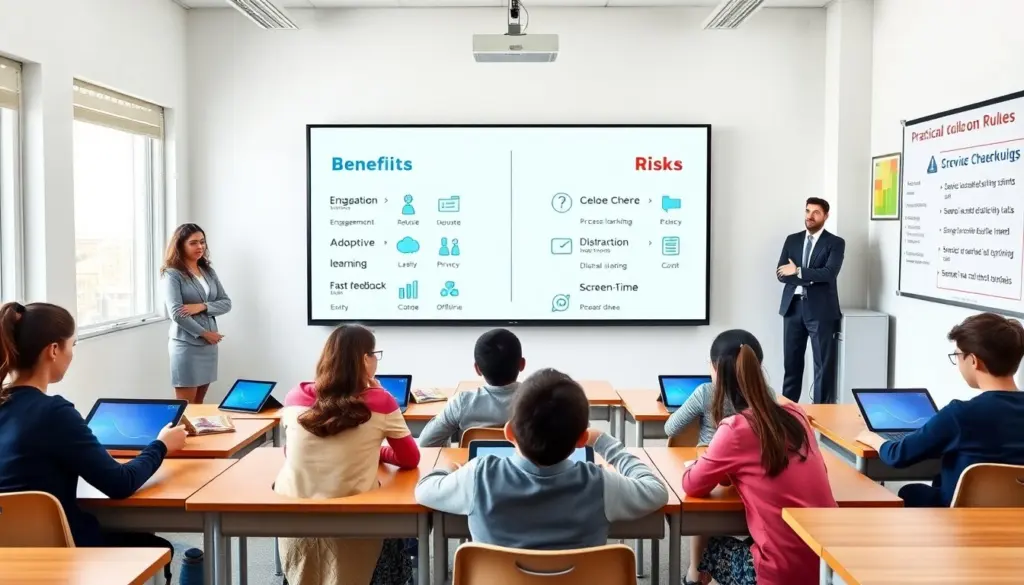
The pros and cons of technology in the classroom shape how schools teach today. This guide lists clear benefits and clear risks and expands on practical steps educators can take. It helps teachers and leaders weigh choices, choose appropriate tools, and design routines that support learning and wellbeing. It gives simple rules and examples they can use right away, and it highlights trade-offs so decisions align with district goals, equity priorities, and classroom realities.
Key Takeaways
- The pros and cons of technology in the classroom affect teaching methods and require thoughtful policy, budget, training, and evaluation decisions.
- Technology boosts student engagement, collaboration, and skill development when effectively guided by teachers and embedded in clear lesson design.
- Personalized learning platforms and assessment tools use classroom data to tailor instruction and help teachers focus on individual student needs when data is interpreted correctly and ethically.
- Technology can widen equity gaps, create privacy risks, and increase distraction, so schools must provide devices, reliable connectivity, and clear data-protection practices.
- Balancing screen time with offline, hands-on activities and explicit instruction in digital citizenship preserves student well‑being and attention.
- Schools should set measurable goals for technology use, invest in teacher professional development, review tools and privacy policies regularly, and collect feedback from students and families to maximize benefits and minimize harms.
Why Technology In Classrooms Matters Today
Schools use devices, software, and internet tools in regular lessons to extend learning beyond the textbook and to streamline administrative work. Educators add tools to reach diverse learners, provide immediate formative checks, and offer richer media for complex topics. Administrators use aggregated data to plan resources, identify curriculum gaps, and measure program impact. Parents use portals and messaging apps to follow grades and see assignments, which can strengthen home‑school communication when managed well. Students use tools to practice skills, create multimedia projects, and demonstrate understanding in varied formats. The pros and cons of technology in the classroom influence curriculum choices, staffing, and professional development, because tools only improve outcomes when they are aligned with pedagogy and supported by training and infrastructure.
Major Pros Of Classroom Technology
Technology can accelerate feedback cycles and increase access to diverse content formats, from interactive simulations to primary-source archives. It supports differentiated instruction by allowing teachers to assign varied tasks to students at different levels, and it can extend learning time through homework platforms and blended lessons. Communication tools let teachers coordinate group work and involve families more easily. Assessment software reduces time spent on grading routine items and produces data visualizations that help teachers spot trends. The pros and cons of technology in the classroom depend on how thoughtfully schools select, implement, and support those tools—good deployment amplifies learning, while poor rollout wastes time and money.
Increased Engagement, Collaboration, And Skill Development
Interactive tools, multimedia presentations, and game-based elements can make lessons more motivating for many students. Teachers can design collaborative projects using shared documents, discussion boards, and video conferencing so learners practice communication, teamwork, and project management. Digital tools also support authentic skill development: research and citation tools teach information literacy, coding platforms build computational thinking, and simulation software provides hands-on practice for science and math concepts. When teachers set clear success criteria and scaffold activities, the pros and cons of technology in the classroom tilt toward meaningful engagement and transferable skills rather than passive consumption.
Personalized Learning, Assessment, And Teacher Support
Adaptive platforms can present learning paths that respond to a student’s demonstrated skills, freeing teachers to target small-group instruction or interventions. Automated quizzes and formative checks give immediate feedback to learners and provide teachers with actionable dashboards to identify who needs remediation or enrichment. Schools can use these data to monitor growth over time and to design groupings for instruction. Tutors and specialists can access saved progress to plan short, focused interventions. The pros and cons of technology in the classroom show that data-driven supports are valuable when teams establish common measures, guard against over-reliance on a single tool, and ensure teachers have time and training to interpret results and translate them into instruction.
Major Cons And Potential Harms
Alongside advantages are important risks: unequal access to devices and broadband can widen achievement gaps, software can collect and share sensitive student data, and poorly designed implementation can increase distraction or reduce instructional coherence. Devices in class can encourage multitasking and shallow attention if teachers do not structure activities and monitor use. Long or poorly timed screen exposure can affect sleep patterns and mood for some learners, especially when device use extends beyond school hours. The pros and cons of technology in the classroom must be balanced through policy, human oversight, and ongoing evaluation so that technology supports rather than undermines learning and equity goals.
Equity, Privacy, Distraction, And Long-Term Well‑Being Concerns
Low-income families may not afford devices or broadband, and students in rural areas may face unreliable connections. To avoid digital divides, schools should consider device-lending programs, on-campus Wi‑Fi access, and partnerships with local providers. Many educational vendors collect usage and performance data; districts must adopt clear procurement standards, minimize data collection to what is necessary, and require vendor compliance with privacy and security practices. In the classroom, frequent app-switching and notifications can fragment attention—teachers should set norms, use single-sign-on and curated app sets, and design tasks that require focused, sustained effort. To protect long-term well-being, curricula should include digital‑citizenship lessons, scheduled screen-free activities, and guidance for families on healthy device routines. The pros and cons of technology in the classroom therefore point to a combination of technical, policy, and instructional safeguards.
Practical Guidelines For Teachers And Schools To Maximize Benefits
Set clear goals for each tool before buying—define the learning outcome, how success will be measured, and which staff will use and support the tool. Create a district or school rubric for procurement that includes pedagogical fit, data privacy, accessibility, and long-term cost. Choose platforms that store minimal personal data, that allow data export and deletion, and that comply with local privacy rules. Provide devices and local internet access for students who lack them; establish on-site charging and repair protocols. Invest in ongoing professional development focused on lesson design that integrates digital and hands-on tasks, classroom management strategies for blended learning, and basic data literacy so teachers can interpret dashboards. Use short formative checks to guide instruction, then follow up with teacher-led discussion or small-group coaching. Schedule regular screen breaks and require offline, kinesthetic, or social tasks daily to sustain attention and physical well-being. Monitor tool usage and learning outcomes, collect structured feedback from students, families, and staff each term, and use that feedback to phase out tools that do not meet goals. Review vendor contracts and privacy practices annually, and adjust policies as new risks or opportunities emerge. By following these practical steps, schools can tip the balance of the pros and cons of technology in the classroom toward improved learning, equity, and student well-being.